Use case · In-house counsel
Compare your outside counsel, or compare yourself to the competition
Which firm gets the next application usually comes down to relationships. Atlas lines up every firm you use on office actions, RCEs and pendency, measured against other applicants in the same art units, so a slow firm can't blame a hard art unit. Then pick up to three competitors and see who gets patents faster, who has the higher allowance rate and who files more continuations.
How it works
Compare your outside counsel
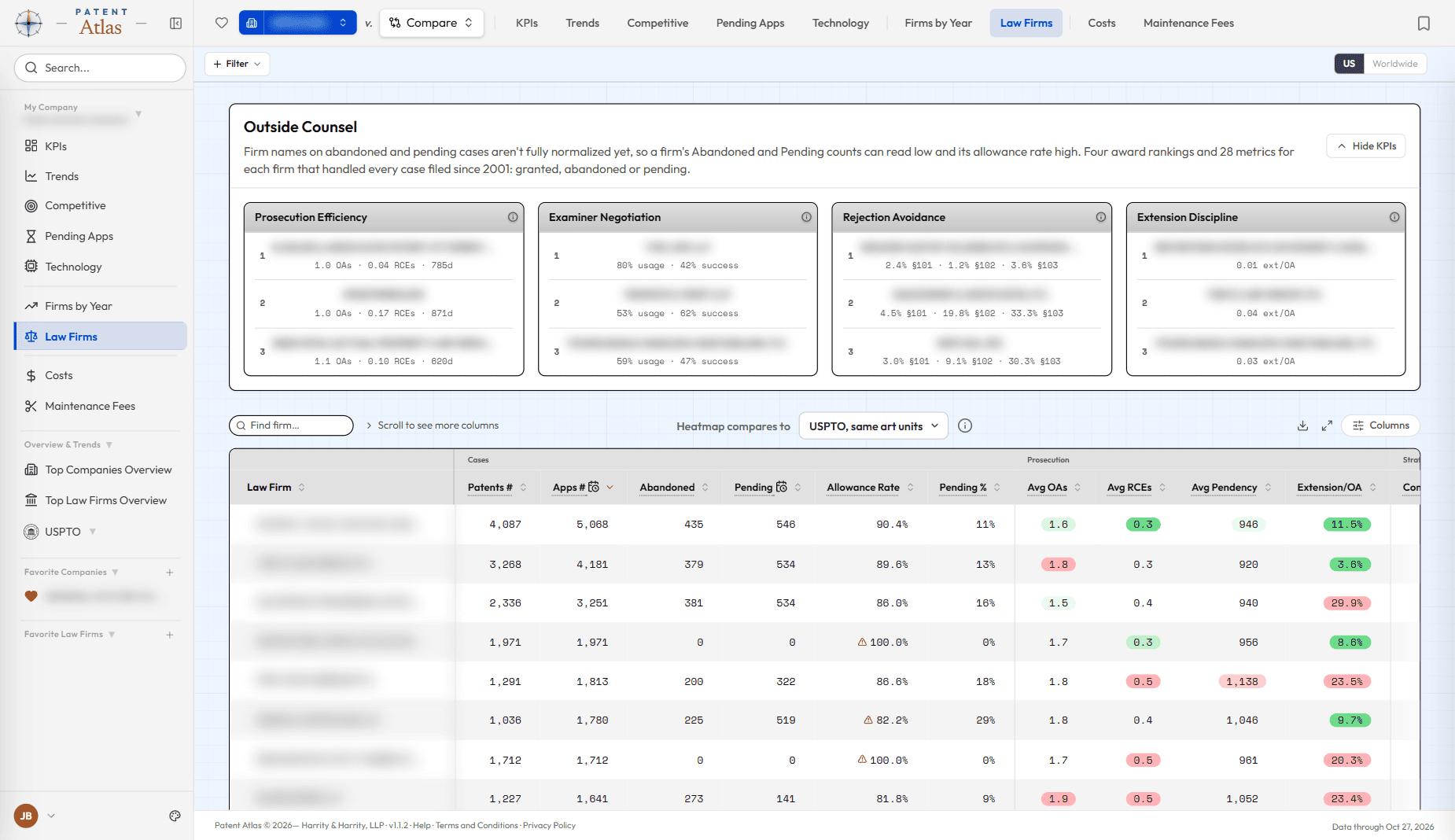
- 01Search for your company and see a list of every law firm handling its patents.
- 02See which firm leads on four counts: the fewest office actions and RCEs with the shortest pendency, the best record in examiner interviews, the fewest §101, §102 and §103 rejections, and the fewest extensions.
- 03Shade every firm's numbers against all applicants in the same art units. A red figure then means worse than the rest of the field in that technology, not only worse than your other firms.
- 04Narrow the list to cases granted in chosen years, or to one Tech Center, art unit or CPC class.
Compare yourself to the competition
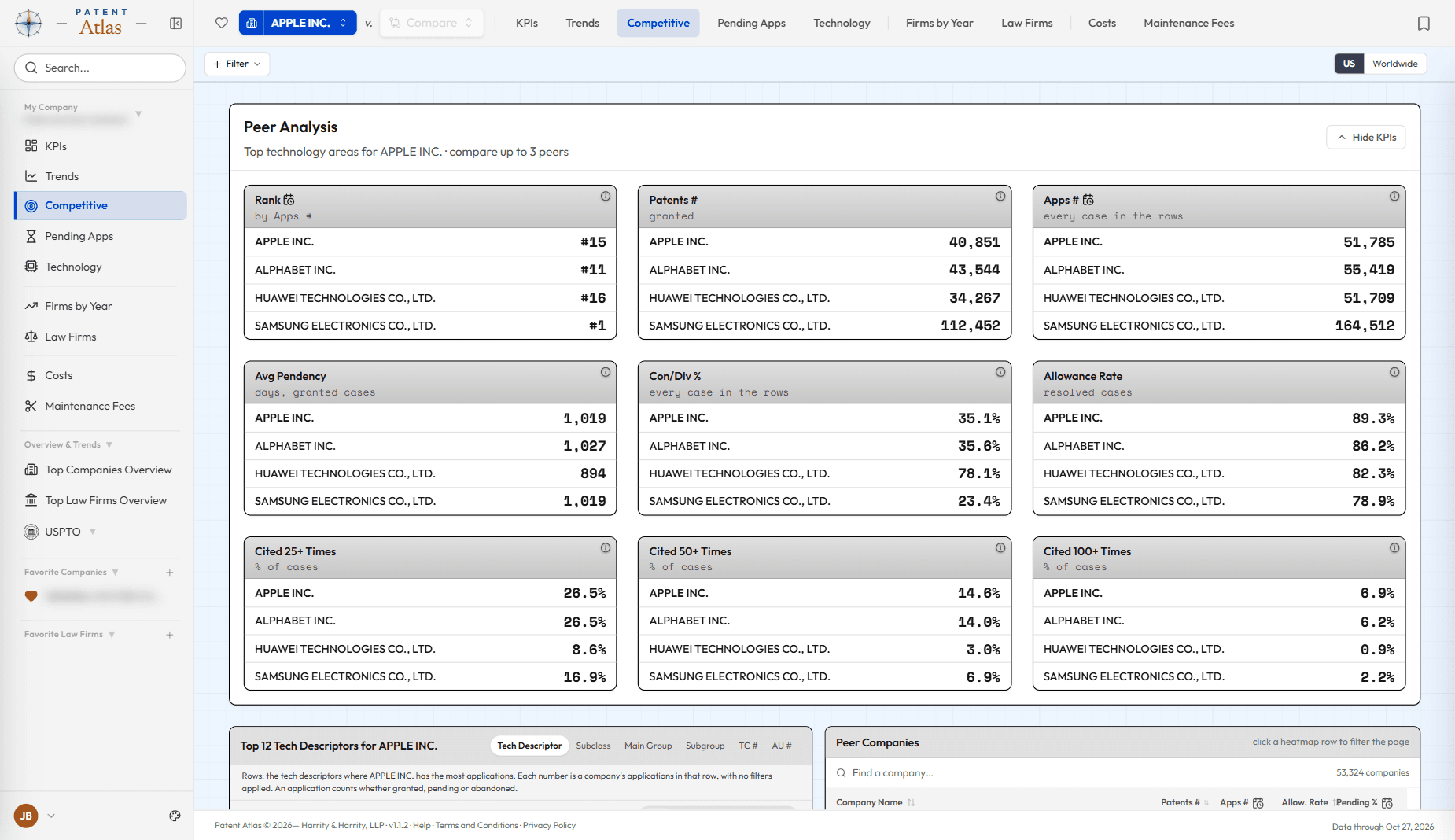
- 05See your company's rank, patents, applications, average pendency, continuation share and allowance rate in one row.
- 06Add up to three competitors and see the same figures for each, side by side.
- 07Pick one technology area to compare the companies inside it alone.